
My Move
Your move, in one place.
Your quotation, inventory, documents and move-day details in one place, kept up to date by your Biddulphs team. We’re introducing it move by move, and we’ll email your link once it’s ready for yours. There’s no account and no password.
We’ll email your link once My Move is ready for your move.
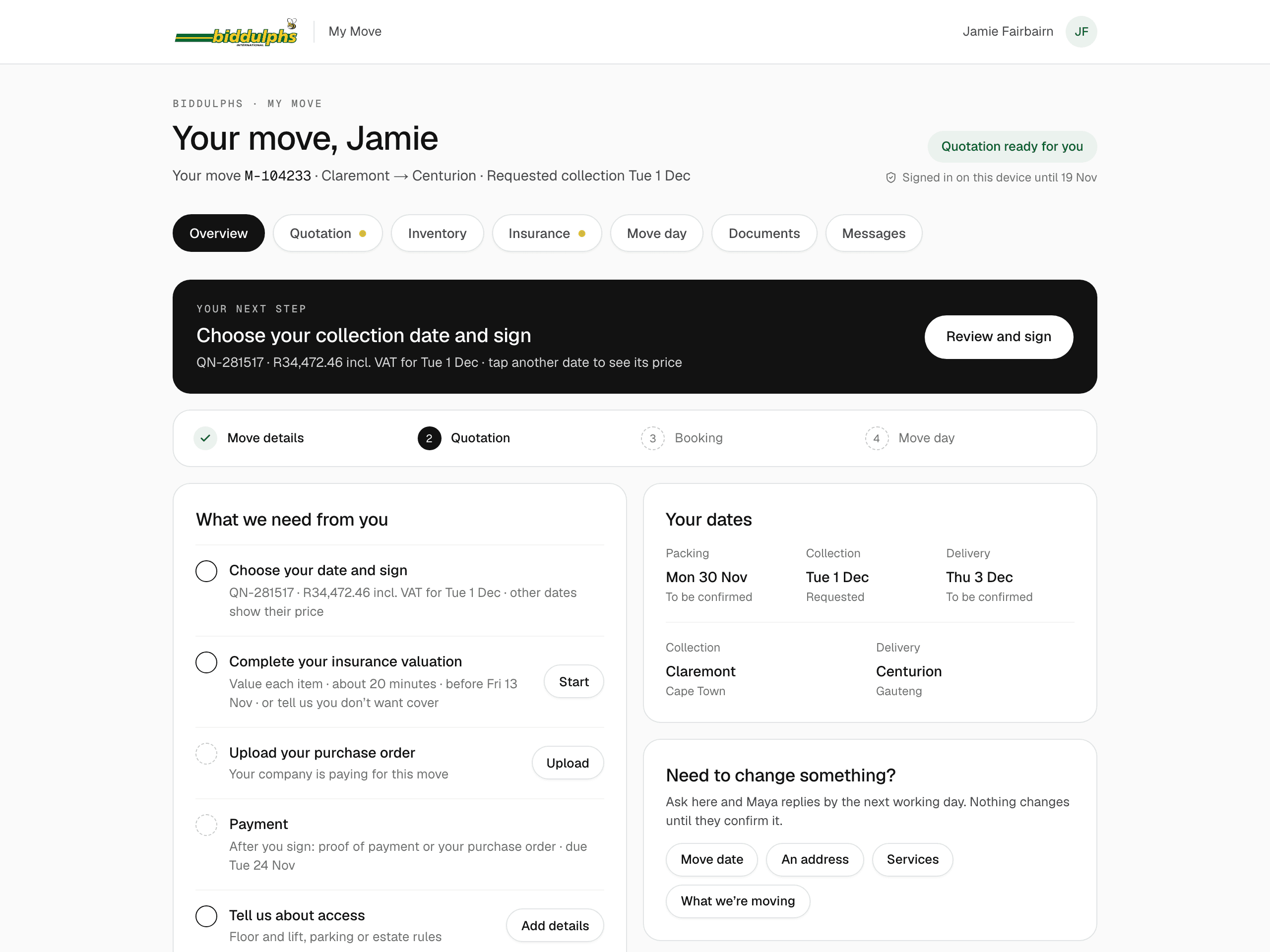
From quotation to move day
What you can do on My Move
- 01
Review your quotation
See your price for every collection date and the options your consultant has prepared.
- 02
Keep your inventory up to date
Check the list of what we’re moving and ask for changes. Your consultant confirms them.
- 03
Keep your documents together
Upload proof of payment or a purchase order, and find our documents beside them.
- 04
Prepare for move day
Your packing, collection and delivery days, arrival times and the people looking after you.
- 05
Message your move team
Ask a question or share an update. Replies come to My Move, and we email you when one arrives.
What you see depends on your move: your consultant prepares the quotation and your team confirms the arrangements. International moves see the overview of their move.
Getting in
No account. No password.
- Open the link in our emailEvery email about your move has your link. Keep the email, or bookmark the page.
- Enter the code we email youFor your quotation, inventory and documents, once on each phone or computer.
- That’s itNothing to sign up for or remember. Uploads and changes to your contact details ask for a fresh code each time.
Staying safe
Only for you and your Biddulphs team
- Your link only ever comes in an email from Biddulphs. Check the sender before you open it.
- We will never ask for your code by phone, WhatsApp or email.
- Our banking details never change by email. Call your branch before you pay.
- Got a link that isn’t yours? Tell us on the page and your move team will look into it.
Questions about My Move
Where do I find my My Move link?
My Move is being introduced. Once it is ready for your move, your link will be in the emails we send you. Your consultant can resend your link if you cannot find it. Use the contact page to reach the branch looking after your move.
How do I get back into My Move?
Once My Move is ready for your move, open the link we email you and follow the instructions. When you need to verify your access, a code is sent to the email address you use for your move. There is no password to remember. Contact your branch if your email address has changed.
Is my move visible to other people?
Your My Move page is not a public listing. You can open it with your link or a code sent to the email address you use for your move. Keep your link and any verification code to yourself. Your Biddulphs team uses the details you share to help arrange your move.
Why are some details not showing yet?
Your page develops as your move takes shape. Your quotation, dates and move-day contacts appear as the team prepares and confirms them. If anything looks out of date, message your team or contact your branch.
Can I still speak to my consultant?
Of course. My Move gives you another way to stay in touch; your consultant and branch are still there to help by email or phone.
Moving with us already?
Your consultant and branch are here to help by email or phone. We’ll email your My Move link once it’s ready for your move.